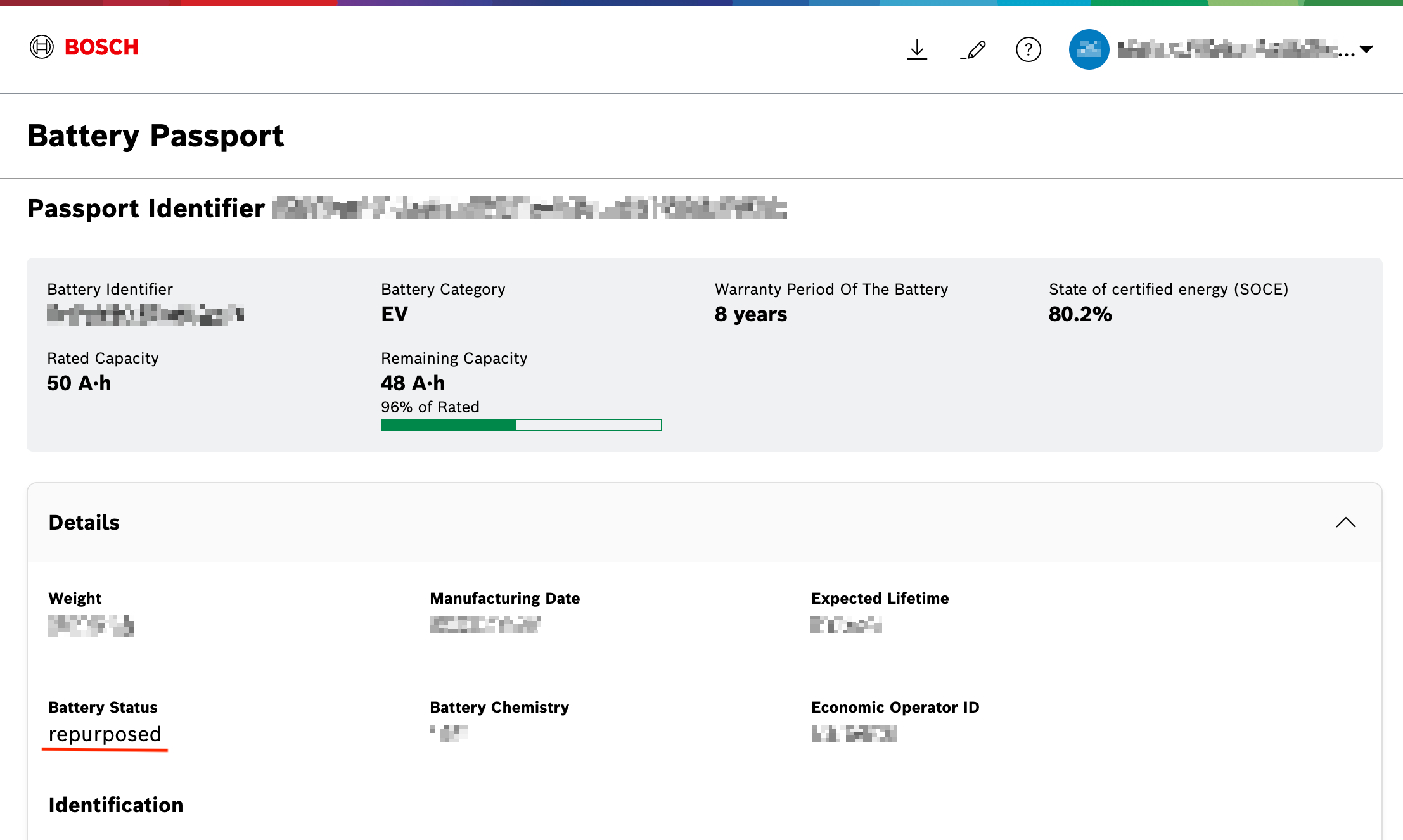
Update battery status
The battery status update feature allows authorized users to modify the current status of a battery within the Battery Passport web application.
Prerequisites
-
You already have the Battery Passport Legitimate Interest Viewer role (see more about roles here). This role is required to view battery passport information for specific battery(s).
-
You already have the Battery Passport Legitimate Interest Editor role (see more about roles here). Users without these roles:
-
cannot see the Edit Battery button;
-
cannot modify the battery status.
-
How to proceed
-
Go to Battery Passport page.
-
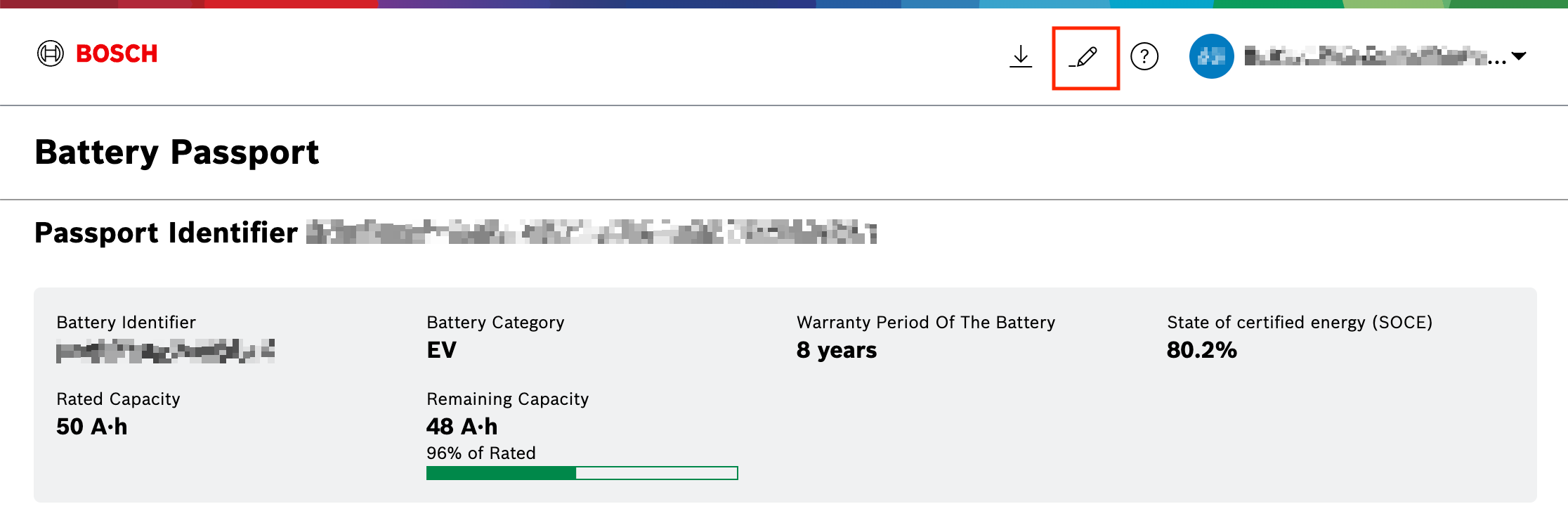
Click the Edit Battery Passport icon on the toolbar.
-
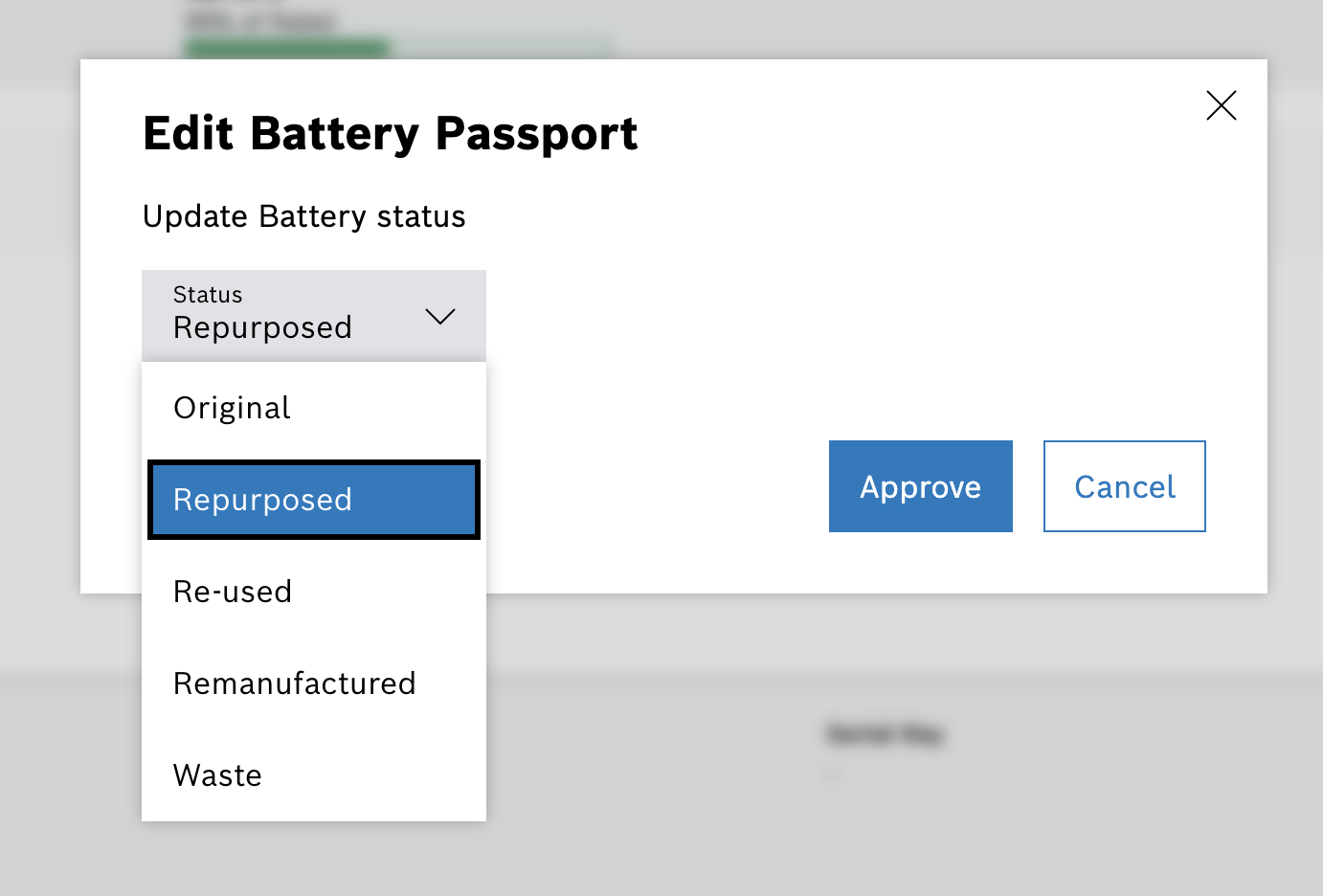
In the pop-up window, expand the dropdown list with predefined values and select value to update battery status.
-
Click the Approve button to apply the changes.
Result: → After clicking the Approve button, the updated status is displayed in the Details section.