Create datasets
A dataset acts as a curated view of your data from a database. It connects the complex structure of a database table or a custom SQL query in a user-friendly interface required for building visualizations.
Datasets can be created from or database tables.
Prerequisites
-
You have the Data Browser Editor role.
-
You have created an SQL Lab query.
How to proceed
Create a dataset from an SQL query
To create a dataset from an SQL query:
-
Follow the steps from Query and explore data in SQL Lab.
-
Instead of clicking the Save button (as described in the last step), expand its dropdown and select Save dataset.
Create a dataset from a database table
-
Click Datasets in the upper ribbon on the home page.
-
Click the Add new datasets button
 .
. -
Select a schema type and a table, on which you want to base your dataset.+
-
Click the Create and explore dataset button.
You are now promted to create a new chart from your dataset. -
Explore the different categories and types of charts and select the one that is most appropriate to your specific needs.
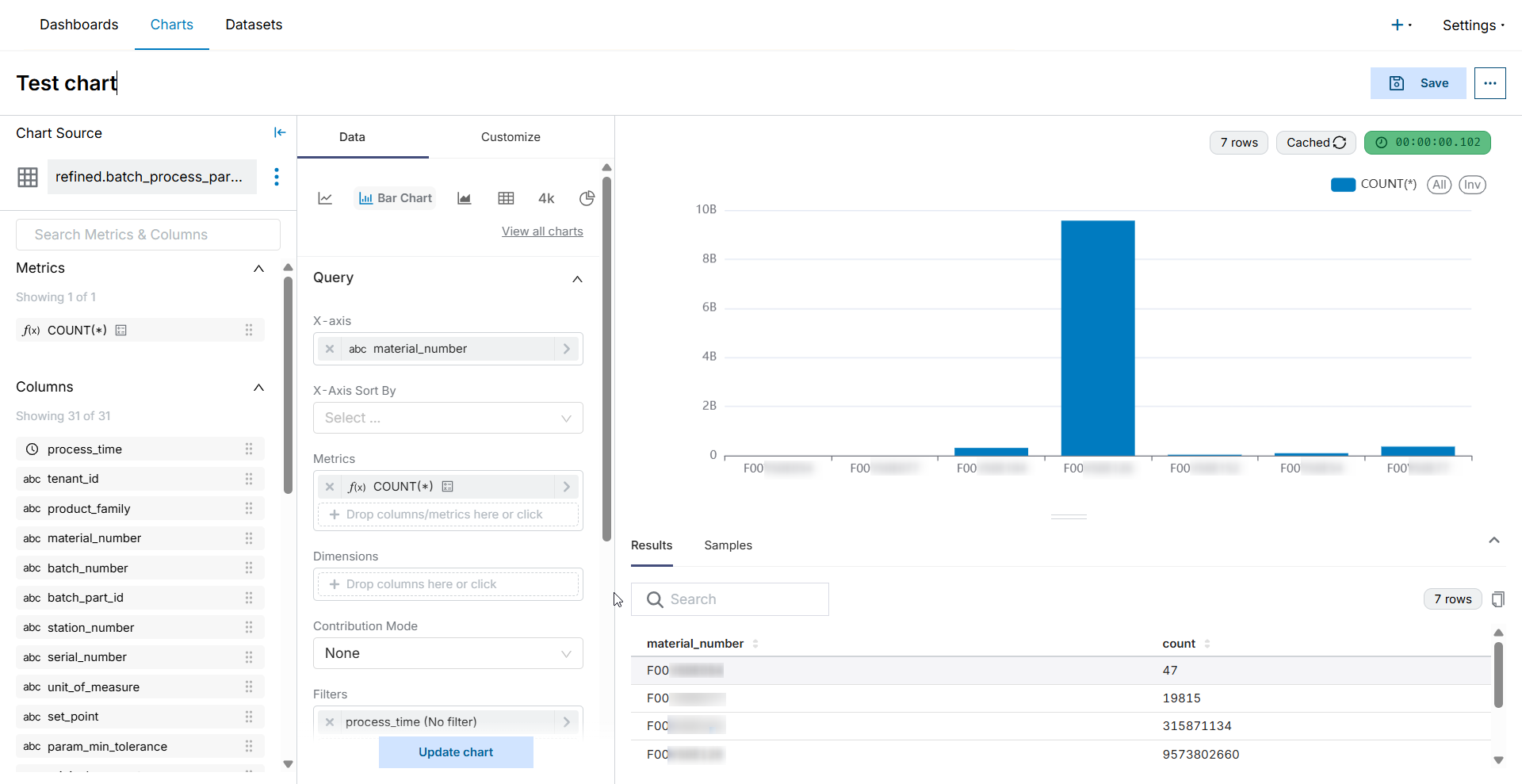
After you have selected the chart type, you are directed to fill in the data values for your query, based on the chart type you selected in the previous step. All highlighted fields are mandatory. When you have filled all of them, your chart is ready to be generated. -
Click the Create chart button. You new chart is displayed up right and the values you based it on are listed in the Results section under it.
-
Click the Save button up right.
Now that you know how to create your datasets, you can proceed with learning how to build charts.