Batches
A batch has a unique ID that can be displayed, and any part produced can belong to a batch. When selecting a material in the BOM, Product Explorer enables the display of all batches of this material. In addition, it is possible to see a table with all batches of the processed parts in a batch, when selecting a processed part.
The table of batches contains information about the batch number, material number and material description. Furthermore, information on the start and end times of the batch is displayed based on the changeover of the production line. These reflect the time of use of the first part and the last part from the batch.
Prerequisite: Product Family and Product types are selected.
-
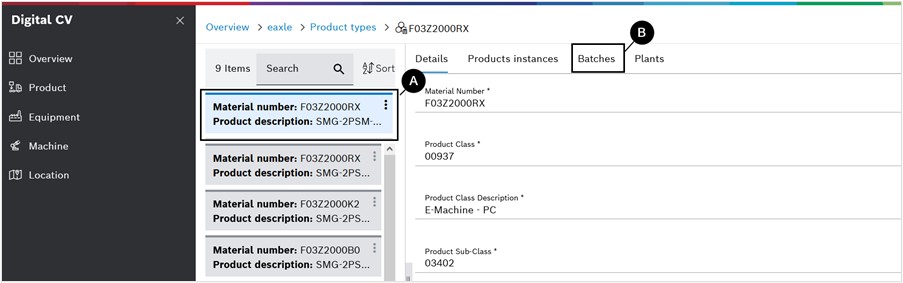
Select a product type.
-
To display all batches for the selected product type, click on the Batches tab with the BOM on the next page.
→ The tab with the batches will also be available when they drill down to deeper sub-levels of the parts hierarchy. The batches that appear in the tab is the list of batches of parts installed in this part.